Fundamentally it should be similar to how Authentik is setup. This page just shows an example config you can use.
There’s a relevant Authelia Github Issue for a little more information.
Use the following config:
client_id: 'clientID'
client_name: 'AudioBookRequest'
client_secret: '[secret]'
public: false
authorization_policy: 'one_factor'
require_pkce: 'false'
redirect_uris:
  - 'https://abr.example.com/auth/oidc'
scopes:
  - 'openid'
  - 'profile'
  - 'groups'
  - 'email'
response_types:
  - 'code'
grant_types:
  - 'authorization_code'
access_token_signed_response_alg: 'none'
userinfo_signed_response_alg: 'none'
token_endpoint_auth_method: 'client_secret_post'
Importantly:
redirect_urisneeds to end with/auth/oidctoken_endpoint_auth_methodneeds to beclient_secret_post(not ending in...basic)
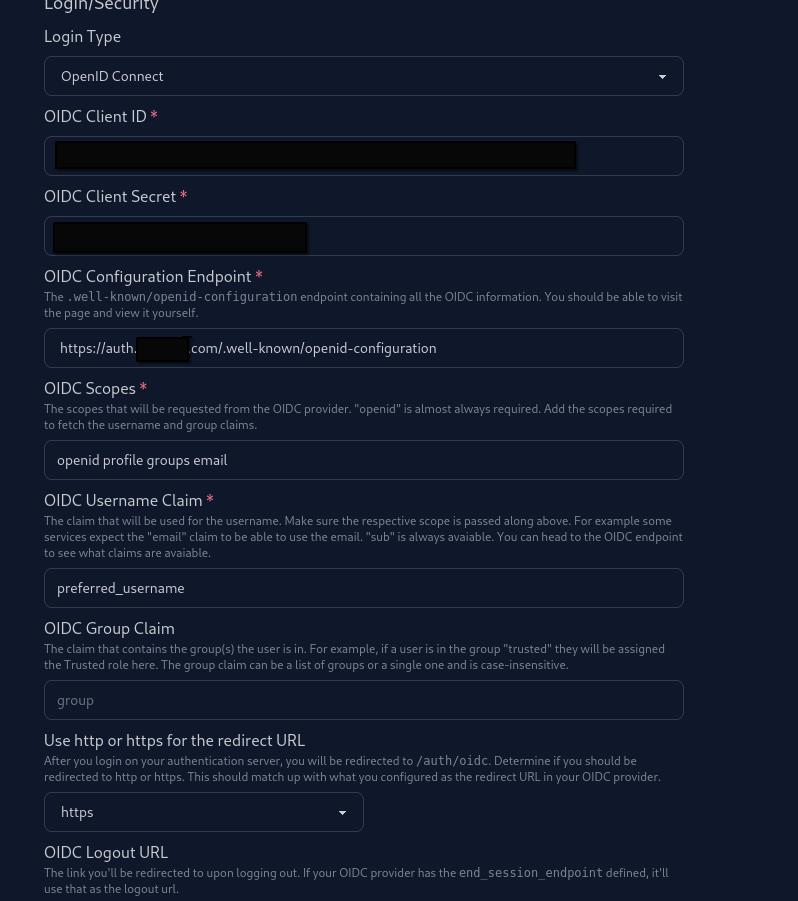
Here’s an example configuration on ABR in the Security settings: